
By Savvas Bout, Founder of Prefixx. Last updated 23 October 2026.
This is a simple process to run your own IP space on Google Cloud. Google Cloud BYOIP requires several things before the first prefix can be announced. Google Cloud requires ownership proof, signed Letter of Authorization, RPKI route origin validation and a clean routing history for the announced IP prefixes. If any of these advertised prefixes delegated for public compute engine tasks are not completed in the correct order, the onboarding stalls.
Google is protecting its network reputation, and your reputation as a customer. So, the quality of the BYOIP addresses and IPv4 delegated prefixes you bring in matters just as much as the configuration that you then apply to them. Organizations planning to bring their own IP ranges to google cloud platform should audit address reputation well before initiating the import process. The audit should confirm that IPv4 addresses within your prefix have clean routing histories and are free from associations with spam or malicious activity.
The configuration that you fill out for the Google Cloud console will not matter if the front-loaded verification failed because the IPv4 block that you brought in had for example a blacklist, disputed WHOIS. Verification processes examine the reputation and registration details of IP ranges before permitting their use in cloud environments.
Walk through BYOIP with GCP step by step: eligibility requirements for your organization, LOA and RPKI setup, Google Cloud import workflow. The import workflow itself is executed through the google cloud platform interface, where you submit your verified prefix and await provisioning confirmation.
What is GCP BYOIP and how does it work
GCP BYOIP enables customers to import their own IP addresses into Google Cloud. Additionally, Then use those imported IP addresses for Cloud resources (e.g. VMs, Cloud SQL) just as they would for resources using native Google-assigned IP addresses. The customer retains full ownership of the imported prefixes, and Google simply advertises the customer’s prefixes from Google’s global network.
What bring your own IP address range actually does
When you bring a prefix into Google Cloud, the prefix is then available for assignment to forwarding rules, VMs, and load balancers. Traffic will then travel through Google’s backbone networks and not cross the open internet before reaching your application or service. This routing architecture ensures lower latency and improved security compared to traditional internet paths.
Organizations can further subdivide an imported public delegated prefix to allocate specific address ranges to individual projects or teams within their cloud environment. Imported IPv4 addresses retain their original reputation and routing characteristics, making them particularly valuable for organizations that have built trust signals into their existing address blocks.
Here’s an example of how importing a clean /22 into GCP would work. The CDN operator assigns addresses on the imported /22 to global load balancers. Reputation history for that block of addresses is preserved as if it was using public IP addresses assigned by Google (as opposed to using Google-assigned public IP addresses).
The two core objects with their own IP addresses
GCP BYOIP is built around two constructs: The public delegated prefix construct allows you to subdivide your imported address space and delegate portions to specific projects or resources within your organization.
- Public advertised prefix (PAP): the top-level object. This is the prefix Google announces to the internet via BGP. A public advertised prefix must be at least a /24.
- Public delegated prefix (PDP): a sub-range carved from the PAP and delegated to a specific project or region for actual resource assignment.
Where Prefixx fits in with cloud NAT prefix length
We prepare the LOA, RPKI ROA and the correct IRR registration for the prefix that you wish to import into Google before it will be accepted. We broker the block, run Tixx quality checks on the documentation, and then supply routing-ready documentation covering multiple regions so that the import request clears Google's validation without any delays. Our brokerage handles prefix preparation for clients deploying across North America, Europe, and the middle east with equal attention to regional routing requirements.
I explored the public advertised prefix PAP and PDP constructs before opening the compute engine console.
GCP BYOIP requirements: ownership, ROA, and reverse DNS validation
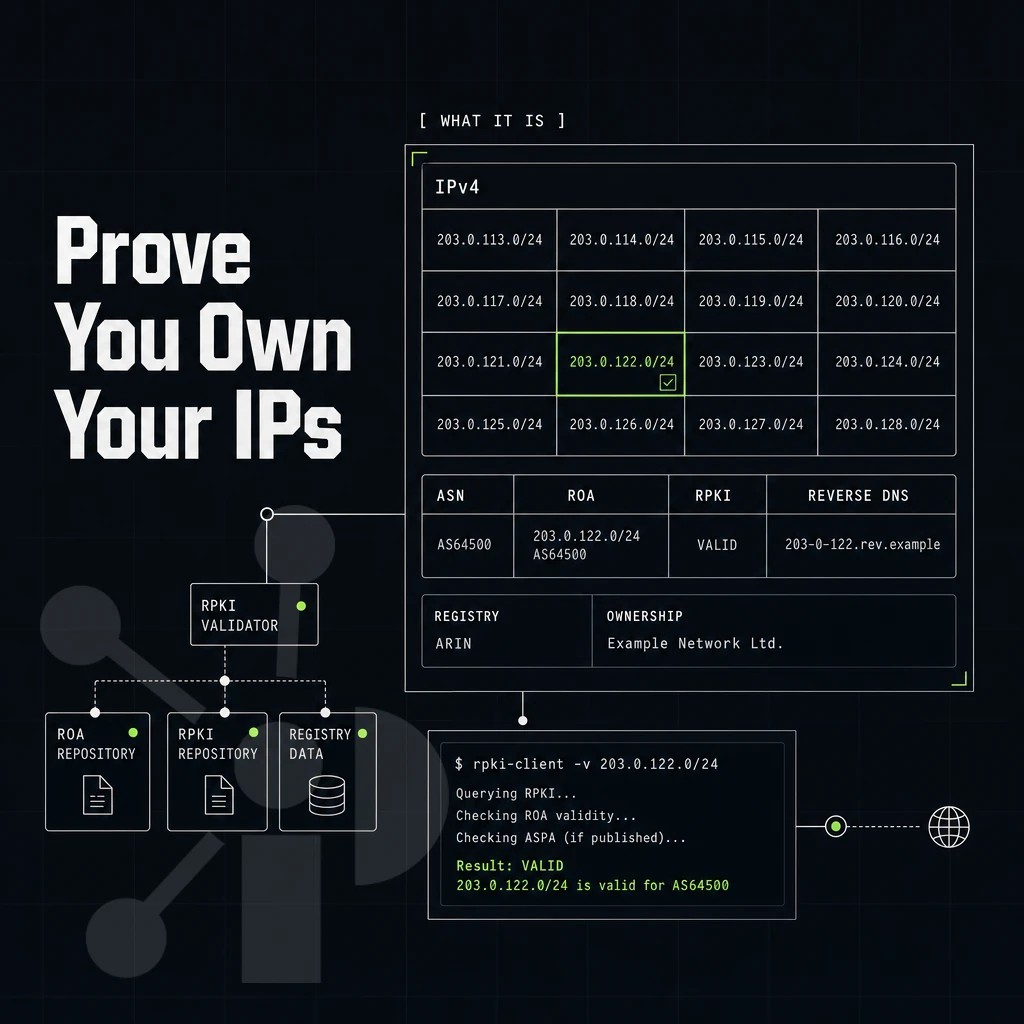
Google Cloud’s BYOIP program has a few requirements that must be met prior to the public advertised prefix workflow. In particular, for every prefix of IP addresses to be imported by Google, all requirements related to ownership, routing, and PTR records must be met prior to the import process. Organizations planning to use their imported prefixes with cloud NAT or other egress services should verify that routing policies align with their network architecture before beginning the import process.
Preparation: registry, block, and prefix length requirements
- Verficihe in allen Fällen Blockgröße und Registrierung. Ein angefragter IP-Adresse-Block muß mindestens den Größebereich eines /24-Blöcke umfassen. Er muß bei einem regionalen Internetregistrar (RIPE NCC, APNIC, LACNIC oder AFRINIC) angemeldet und ohne Domänen- oder anderen Einschränkungen liegen. alter Bestand läuft unter einem REGISTRATION SERVICES AGREEMENT und zählt daher ebenfalls.
- Create a route origin authorization. The first step here is to log in to your RIR portal and issue a ROA for your prefix. In the ROA, list the Google Cloud origin ASN as an origin for which you are authorized to send traffic. This ROA will reside within the resource public key infrastructure framework. As such, it can be verified by Google to ensure that the announced origin in their BGP update is in fact authorized by you. Note that without a valid route origin authorization, the import will fail.
DNS validation via compute engine ptr record confirmation
- Add PTR record for Google’s token. The token will need to be published as a PTR record in your reverse DNS zone for your advertised prefix. This step of reverse DNS validation proves that you actually control the block of IP addresses for that DNS zone and not just claiming them on paper. After validation of DNS, you can submit your public advertised prefix request.
Note: Oracle Cloud Infrastructure uses a similar ownership-proof model, but the token format and submission portal differ. Do not reuse a token generated for another cloud provider. Each cloud provider ties its verification token to the specific public IP address or range you are attempting to authorize, so cross-platform reuse will fail validation.
Bring your own IP submission for cloud migration
- Publish the advertised public prefix. The ROA and reverse DNS must both be functioning correctly for approval. Once the ROA is published and the reverse DNS lookups resolve correctly, log into the Google Cloud Console and publish the public advertised prefix. The validation is automated and will confirm both the ROA and reverse DNS within a short time frame.
The LOA, ROA, and IRR objects will be created as part of Prefixx’s white-glove service to prepare your block for import into Google Cloud. Once these prerequisites, including any required IP ranges and your own ASN that Google advertises, have been provisioned in sequence, you can proceed with the remaining steps in the provisioning process. This preparation ensures that when you delegate IP addresses to google through the BYOIP workflow, the routing infrastructure is already in place and verified.
Step-by-step: bring your own IP addresses via Google cloud console
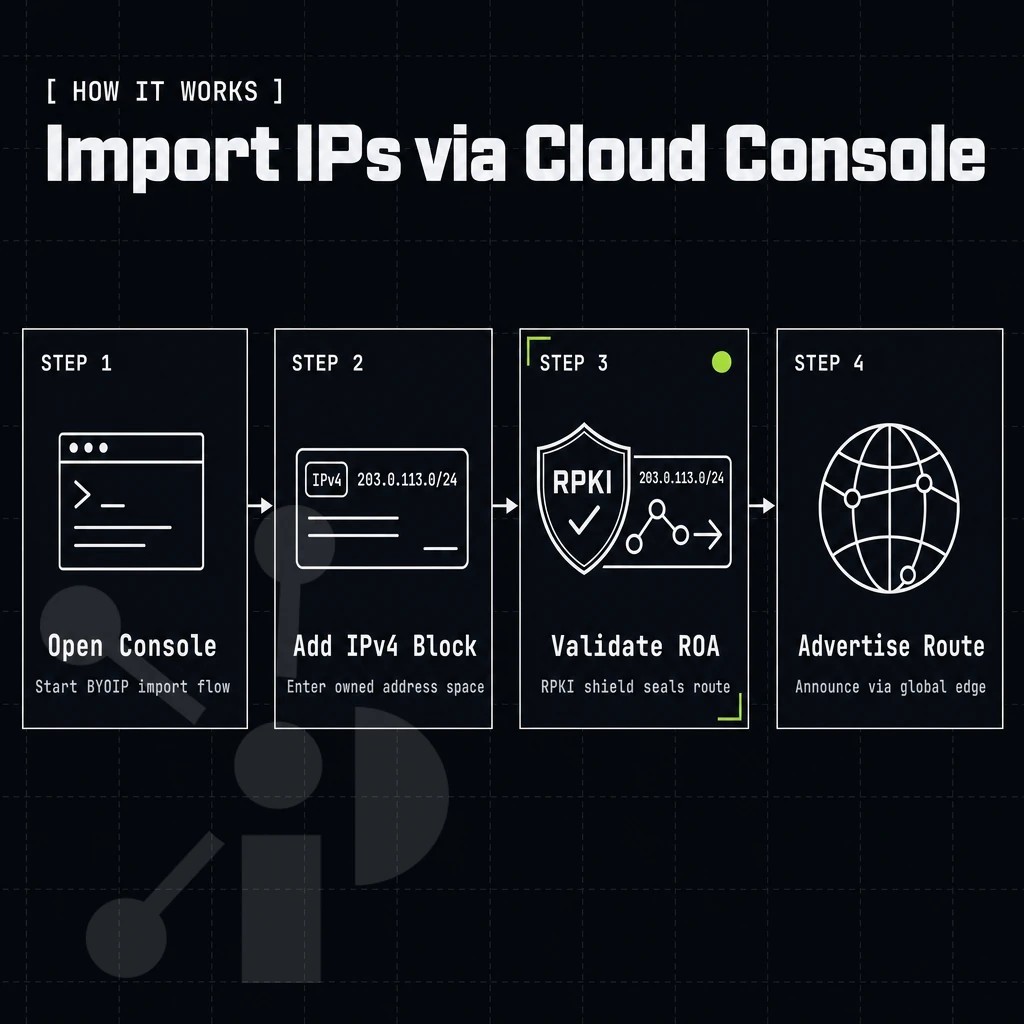
GCP BYOIP lets you bring your own owned IP space into Google Cloud and advertises that space over Google's global network. You can configure the prefix to be advertised globally or restrict it to a single region depending on your routing requirements.
The scope of this advertisement control extends to both IPv4 and IPv6 prefixes, allowing organizations to tailor their routing strategy to specific geographic or operational needs. Organizations can bring both IPv4 addresses and IPv6 prefixes into the platform, ensuring flexibility across different network architectures and transition strategies.
Create a public advertised prefix and validate prefix length ownership
Create a public advertised prefix object in the Google Cloud Console under VPC Network. Enter the CIDR for the advertised prefix, and Google will generate a token for use in a signed ROA by your RIR. Add a PTR record for verification of reverse DNS authority. Once both have been added, Google will verify and, after a period of time for processing, the prefix will be moved to an “active” state and begin to be advertised.
Carve advertised prefixes from the pap
After Google has activated the parent block, you can create one or more public delegated prefixes from it. Each sub-prefix can be confined to a region (e.g. Latin America) and you can use IAM permissions to restrict the use of each sub-prefix to specific teams or service accounts. The public delegated prefix sub-prefixes can then be assigned to a dedicated project or to a Shared VPC host project.
This delegation model ensures you retain full control over which teams can provision addresses from each sub-prefix while maintaining centralized oversight of the parent block. The scope of each delegation can be adjusted through IAM policies to match your organizational structure and security requirements.
Attach IP addresses to GCP resources
Individual addresses or ranges of addresses are assigned to individual resources such as Compute Engine instances, external traffic distributors, forwarding rules, Cloud VPN tunnels, and Cloud NAT gateways. Once resource binding is confirmed, Google begins advertising the prefix via BGP. These assignments include both internal and external forwarding rules that direct incoming traffic to the appropriate backend services.
Each resource receives a public IP from the delegated range, ensuring consistent addressing across your infrastructure. The public delegated prefix mechanism ensures that each resource allocation draws from your imported address space rather than Google's native pool. The assignment process ensures that each resource draws from your imported pool of IPv4 addresses rather than relying on ephemeral allocations from Google's native inventory.
Prefixx can also complete the LOA preparation, RPKI ROA signing and IRR route-object updates needed before you can move to Step 1. We process each block through Tixx quality control before preparing the relevant routing documentation, so your prefix will arrive at Google ready for validation.
By completing these steps, you are given something far more valuable than a block of IP addresses at any prefix length, you are given full and portable control of that address space. The portability of BYOIP addresses ensures that your network identity remains consistent even if you migrate workloads across different cloud environments or regions.
Bring your own IP address space to Google cloud platform
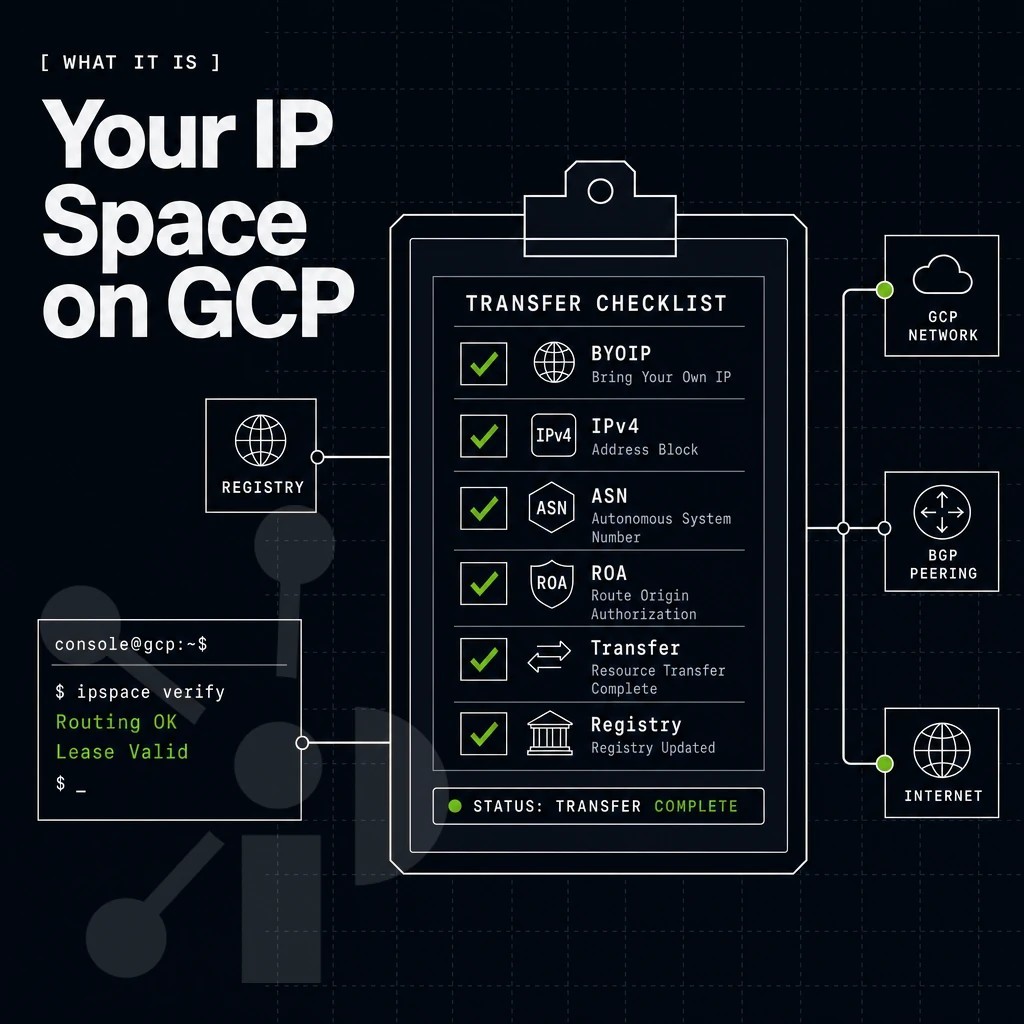
Native Google IPs mean you have no control, the cloud provider assigns IPs, advertises them, and can move them as required. BYOIP flips all of this on its head and, through a public delegated prefix, gives you full ownership and persistence regardless of where your workloads actually reside. The public advertised prefix pap serves as the container that holds your imported address space and controls how Google announces it to the internet.
What full control means when you bring your own IP
Your block of IP address space will remain registered to you at the appropriate Regional Internet Registry (RIR) for as long as you wish. Google will continue to advertise your space for you while it is in use but the registration will never move. Thus you can withdraw your space from use, redeploy it on-premises or move it to another cloud provider, all without losing your ever growing reputation history, geolocation records, or existing allowlist entries.
This portability is what makes BYOIP addresses different from native allocated IP addresses. Native IP addresses are not portable in the same way. Organizations that rely on cloud NAT for outbound connectivity can configure it to use either native or BYOIP addresses, though the portability distinction remains important for failover planning.
BYOIP addresses and migrating your own IPs to the cloud
Cloud migration is where IP portability pays off most clearly. When you migrate workloads to GCP, your in use IP addresses move with them. Firewall rules, partner allowlists, and DNS records stay valid. No change requests, no reputation resets.
If your organization already has an ASN, you can include that with your BYOIP on google cloud resources to continue to follow your current routing policies in mixed environments. Proper route origin authorization ROA configuration ensures that your ASN announcements are cryptographically validated and protected against prefix hijacking.
How Prefixx supports the IP prefix transition
Our team creates LOA, RPKI ROA, and IRR route objects necessary before Google can start to accept IP addresses in BYOIP environment. The team ensures that each ROA request is properly formatted and submitted to the appropriate registry before proceeding with the import workflow.
In the next section we go into detail of how Prefixx prepares your public delegated prefix block for the GCP console. This preparation includes verifying ownership documentation and ensuring that prefix provisioning requirements align with Google's technical specifications before the import workflow begins.
Why Prefixx helps you prepare your block for GCP BYOIP
One problem that trips up a lot of teams trying to get their own IP addresses set up for GCP BYOIP is that there are a lot of steps and they all fail at the same step. That step is getting a suitable block of IP addresses, setting up the route origin authorization at the RIR, and getting reverse DNS to validation to pass to Google Cloud. Prefixx sets up all of this for you end to end.
- Tixx quality control includes checks for ownership, blacklisting, routing issues and RIR issues for every single block of IP address space that is sold before it is handed out to customers.
- We prepared LOA, RPKI ROA and IRR route objects for your IP prefix. Now it is ready for the next steps of the validation by Google Cloud Platform.
- Reverse DNS and reputation monitoring included with every lease, helping protect your BYOIP addresses from the start.
- We support inter-RIR transfers to ARIN, RIPE NCC, APNIC, and LACNIC. We cover the IP space you need for your cloud migration.
- GCP BYOIP is another cloud provider program that we support, along with AWS, Azure, OCI and Cloudflare. We understand the specific requirements of each cloud provider.
See the full BYOIP service detail at Prefixx.net/BYOIP, or contact our team to discuss your block requirements.
GCP BYOIP enables you to fully manage your IP reputation, geolocation and routing within Google Cloud. The two main requirements to provision IP addresses BYOIP are an ROA signed against the correct origin ASN and a reverse DNS token that Google can validate before advertising your prefix. Once these two requirements are met, provisioning BYOIP is straightforward.
The harder work is upstream: confirming clean ownership records, routing hygiene, and RIR standing for your BYOIP addresses before you ever open the GCP Console. Prefixx handles the LOA, RPKI ROA, and IRR route objects (including validation of your public delegated prefix ranges and prefix lengths) on your behalf, and Tixx checks every block for blacklist entries and transfer eligibility before anything moves.
If you are sourcing an IP address range block with the right prefix length to bring into GCP, or need the paperwork prepared for a block you already hold, contact the Prefixx team before you start the provisioning steps.
Contact us to discuss your IPv4 needs today
No hidden fees, free consult. A broker replies within one business day.