
By Savvas Bout, Founder of Prefixx. Last updated 1 September 2026.
Elastic IP pricing on AWS surprises many engineers the first time they read the bill. Amazon charges nothing for an Elastic IP as long as it is attached to a running instance. However, once the Elastic IP is not attached to any instance (i.e., the instance is terminated), Amazon starts charging for it.
Before February 2024, an Elastic IP associated with a running instance was effectively a free feature, making it a popular choice for workloads requiring static addresses. When an Elastic IP is associated with a running EC2 instance, it automatically binds to the instance's primary network interface unless you explicitly specify a secondary interface during association. For more context, see IPv4 pricing guide.
Therefore, it is important to understand when Amazon will charge for an Elastic IP address, and how those charges change as a function of the state of your instances. For community perspectives, see Elastic ip charge? : r/aws.
In this article, we break down all scenarios of billing by AWS for Elastic IPs. We also compare costs of Elastic IPs, including multiple addresses on the same instance, with leasing the required address space for a given time of day and traffic, and with bringing your own IP block to AWS using AWS BYOIP, factoring in related services like transit gateway, Classic Load Balancer, and Route 53.
Our detailed analysis covers not only the hourly charges but also the cumulative impact of idle allocations across multiple regions and accounts. A more detailed analysis of these scenarios reveals hidden costs in multi-account architectures where idle allocations often escape routine audits.
As a result, you can make a decision about elastic IP addresses that is based on your traffic and your budget, as opposed to it being a default choice made for you.
How elastic IP addresses are priced on AWS and how charges work
Starting February 1, 2024, AWS will charge a flat fee for every public IP address. Significantly changing the cost of dynamic cloud computing for anyone running a single EC2 instance or a large number of managed services in the cloud. For more context, see Amazon Elastic Compute Cloud.
The core charge: $0.005/hour
A new public IP charge of $0.005/hour per public IP applies to all AWS resources holding a public IP, including Elastic IPs, ephemeral public IPs, elastic load balancers, NAT gateways, RDS instances, and more.
There is no longer free plan of up to 5 Elastic IPs per account. Every IP address will incur a charge on an hourly basis even if it is not in use and not attached to any instance etc.
What resources like elastic load balancing are affected by elastic IP addresses
Any service assigned a public IP address in the same region will incur a public IP address charge.
This can be easily audited by searching the Management Console for a service to determine what other resources may be exposed using Public IP Insights which will return a list of public IP addresses assigned and which resource(s) they have been assigned to.
- Instances with an Elastic IP or an auto-assigned public IP (EC2).
- Load balancers and NAT gateways with a public IP.
- RDS, EKS, and other managed services assigned a public IP.
- An Elastic IP that has been allocated but not attached to the current instance that it was previously attached to.
AWS govcloud regions and elastic IP addresses
Note that AWS GovCloud also charges $0.005/hour like other regions. In other words, agencies running regulated environments in the cloud need to audit their public IP footprint just as commercial accounts do.
Elastic IP addresses, NAT gateways and other hidden IPv4 costs
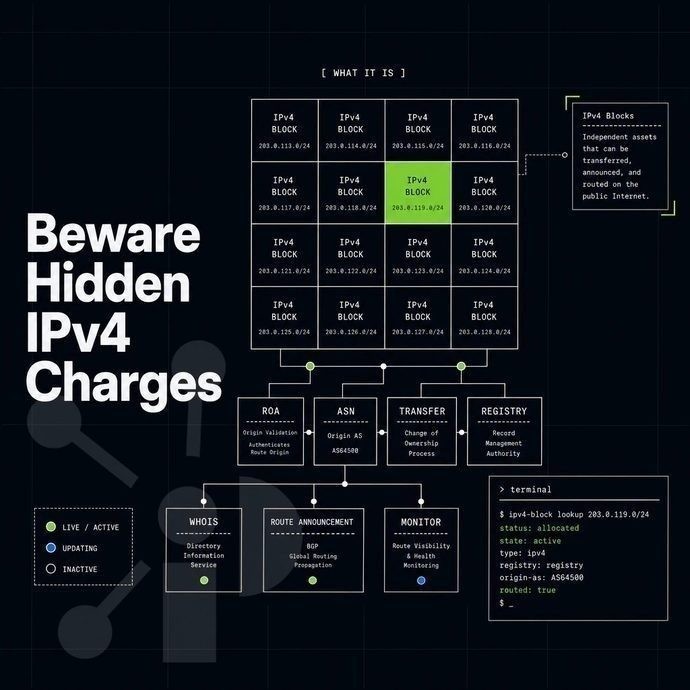
While EC2 instances using elastic IP addresses receive the most attention regarding public IPv4 addresses, other services such as load balancers, NAT gateways, and accelerators can also attach public IPv4 addresses. Each of these services charges on a per address basis. Therefore, teams auditing only their EC2 instances for internet connectivity will undercount public IPv4 addresses.
Where the hidden ips live
- Elastic Load Balancing. Public IPv4 addresses are assigned to each Application, Network, and Classic load balancer. Those are billed at $0.005/hour per address. A fleet of ten load balancers could cost a lot more than you expect.
- NAT gateway. A NAT gateway requires a dedicated public IPv4 address. Furthermore, there are data transfer charges on top of the per-address fee, which makes it one of the more expensive items in a VPC with many instances.
- Global Accelerator and Transit Gateway are two services whose IP-adjacent cost structures fall outside of the normal EC2 billing model. As with additional AWS services, refer to the pricing pages for each service, rather than relying on EC2 to cover for them.
Surfacing AWS region cost with the right tools
- Enable VPC flow logs. network flow logs capture usage data at the network interface level, recording all send/receive activity for resources on public IP addresses, including managed services that you may not be aware of.
- Query AWS Cost Explorer for ‘Public IPv4’ usage type to view each address charge in isolation. Sort by service to see whether charges are being incurred by load balancers / gateways etc.
Note: If your goal is to reduce dependence on AWS-assigned addresses entirely, bringing own IP addresses through a BYOIP program lets you route space you already control. Prefixx handles the LOA, RPKI ROA, and IRR paperwork so your IP address block is ready to announce before it lands in your account.
Before going that route, though, it helps to understand the default quota limits AWS places on public IP allocations and what the no-cost tier actually covers today. Organizations that provision BYOIP addresses retain full control over their IP reputation and can migrate those prefixes between cloud providers or on-premises infrastructure without renumbering applications.
Efficient use of elastic IP addresses to cut your AWS bill
Public IPv4 addresses are now charged for by AWS (from February 2024) even if they are attached to a running instance.
Reduce public exposure with elastic IP addresses
Outbound Internet traffic from within the private subnets can be routed via a single shared NAT gateway rather than needing individual public IP addresses for each instance. The external entry points for individual AWS resources and services can be consolidated via an Application Load Balancer. Teams running container services can similarly consolidate ingress through a single load balancer endpoint, reducing the total number of public addresses required per deployment.
Similarly, compute workloads that rely on persistent block storage can consolidate their footprint by sharing ebs volumes across instances in the same availability zone, reducing the need for separate public endpoints per workload. By routing outbound traffic through a NAT gateway, private instances can reach the internet without requiring their own public IP addresses.
Move internal calls between Virtual Private Clouds (VPCs) to VPC Endpoints or AWS PrivateLink. This will ensure all service-to-service internal calls are never published using public addresses, and allow for the most efficient use of resources within your account. Consolidating service endpoints and eliminating unnecessary public addresses leads to efficient resource utilization while maintaining secure connectivity patterns.
Audit data transfer with the right tools
AWS Cost Explorer and Public IP Insights create usage reports for idle/underused public IP addresses. Amazon VPC IPAM provides account-level inventory for managing large address spaces. Transit Gateways create a single routing point for VPCs, eliminating the need for redundant public IP addresses in each VPC. Organizations with multi-account environments can centralize IP planning by configuring Amazon VPC IPAM to automatically discover and monitor address allocations across organizational units, reducing the risk of overlapping CIDR blocks.
Consider IPv6 and brokerage options
If you have surplus IPv4 IP address space, our Prefixx consultants can assist with sales and leasing via escrowed transactions.
For large public IP requirements where per-address charges from AWS become costly, public IP insights make it worthwhile to compare the cost of leasing or buying address space against public IP service priced per address as a separate service.
Why businesses lease or buy elastic IP addresses instead of paying AWS rates
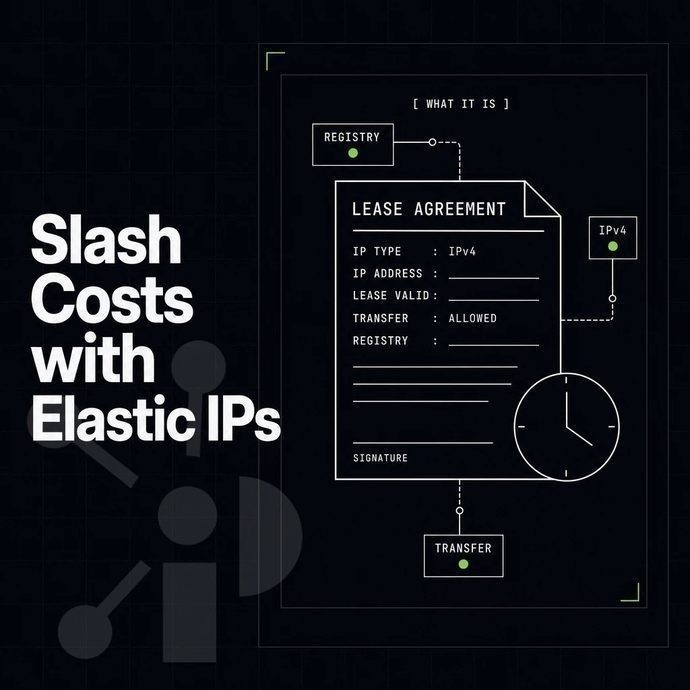
Cost of a /24 of Public IP Addresses: 256 instances * $0.005 * 24 * 30 = $936.00 before compute costs. Dozens of Public IP Addresses in multiple Regions will cost a lot by themselves.
Buying a block on the secondary market and bringing it into AWS via BYOIP can reduce this line item by a large margin.
Prefixx is used to broker IPv4 IP address space on behalf of clients to obtain and manage IPv4 address space on all 4 continents (ARIN, RIPE NCC, APNIC and LACNIC). The entire process of acquiring IPv4 address space, eliminating unused elastic IPs, managing each address, and creating and handling routes is taken care of end to end by Prefixx's team of IPv4 experts.
- Buy or lease: vetted blocks from /24 to /16, escrow-secured, zero buyer fees.
- Tixx quality control: every block is checked for ownership, blacklists and routing hygiene before it reaches you.
- White-glove routing: our consultants prepare the LOA, RPKI ROA and IRR objects your BYOIP submission requires.
- Inter-RIR transfers: we coordinate ARIN, RIPE NCC and APNIC transfers when your block and your AWS region sit under different registries.
- Seller-only commission: 3 to 8 percent of the sale price; buyers pay nothing.
For a detailed look at how address pricing moves by block size and registry, see our IPv4 pricing guide. To compare lease versus purchase options, contact our team for a personalized quote.
Frequently asked questions
Elastic IP pricing AWS: what does it actually cost?
AWS charges $0.005/hour for every public IPv4 address in your account, including Elastic IPs, regardless of whether they are attached to a running instance.
Is an elastic IP address included in the AWS free tier?
AWS provides 750 hours per month of free public IPv4 usage for new accounts during the first 12 months of the free usage tier. That allowance covers one public IPv4 address in use on a running EC2 instance. Once the 12-month period ends, or once you exceed that single-address threshold, standard per-hour charges apply across AWS services.
How many elastic IP addresses can I have per AWS account?
The default limit is five Elastic IP addresses per AWS region per account. AWS commercial accounts have this limit set deliberately to discourage hoarding of IPv4 space, which is a finite resource. You can request a network interface quota increase through the AWS Service Quotas console, but AWS reviews each request and approval is not guaranteed. Most production workloads rarely need more than five elastic IP addresses per region; if you do, review your architecture before requesting an increase.
Are AWS elastic IP addresses public or private?
An Elastic IP is always a public IPv4 address, routable on the internet. AWS allocates it from its own public address pools, or from a customer-owned IP pool if you use BYOIP. It is not a private RFC 1918 address and cannot be used as one inside a VPC. Private addresses inside a VPC are assigned separately and are not affected by Elastic IP pricing.
Does AWS charge for elastic IP addresses not attached to an ec2 instance?
Since February 2024, AWS charges the same $0.005/hour rate for every public IPv4 address in your account, whether it is attached to a running instance or sitting idle. Previously, AWS only charged for unattached Elastic IPs as a waste-prevention measure.
How do I avoid elastic IP addresses charges on AWS?
Release any Elastic IP you are not actively using. For workloads that do not require a persistent public IP, use an auto-assigned public IP instead, which is released automatically when the instance stops.
Audit your Elastic IP inventory regularly through the EC2 console or AWS Trusted Advisor, which flags unattached addresses. If your architecture genuinely needs persistent public IPs beyond what private subnets and security groups can handle, consider bringing your own IP block via BYOIP so the addresses are not drawn from AWS's pool and you retain full control over them.
Can I bring my own ips to AWS instead of using elastic IP addresses to avoid charges?
Yes, AWS BYOIP lets you advertise your own public IPv4 prefixes inside your AWS account. Addresses from a BYOIP pool are still treated like elastic IP addresses and subject to the standard public IPv4 hourly charge, so BYOIP does not eliminate the AWS fee.
The real advantage is ownership: you keep the addresses if you leave AWS, you preserve your IP reputation, and you avoid paying market rates to acquire AWS-native addresses. If sourcing an IP address block for BYOIP is the challenge, Prefixx handles the acquisition, LOA, RPKI ROA and IRR paperwork end to end, so the block arrives AWS-ready.
AWS public IPv4 pricing has dramatically affected the cost to run workloads in the cloud. Every public IP address attached to instances, idle and otherwise, and also part of load balancers and NAT gateways, are now charged for. The fastest way to cut cost here is to release what you are using and run services with shared endpoints where possible in the architecture.
For teams running workloads at scale, the per-address cost compounds quickly. Bringing your own IPv4 block through BYOIP removes the per-address AWS charge and its associated costs entirely, giving you portable, reusable space that follows your infrastructure wherever it goes.
Prefixx handles the block sourcing, Tixx quality checks, and the full routing paperwork (LOA, RPKI ROA, IRR) so your block is ready to announce as elastic IP addresses the moment AWS accepts it. Talk to the Prefixx team about sourcing a block sized for your AWS footprint.
Contact us to discuss your IPv4 needs today
No hidden fees, free consult. A broker replies within one business day.