
By Savvas Bout, Founder of Prefixx. Last updated 29 October 2026.
Newly acquired IPv4 space carries a lot of baggage from its previous owner. Removed from blocklists as they may be, it is not usually a simple one-step process and you may find that subsequent to acquisition of a new block of space. New outbound mail will not reach its intended destination, you’ll find that lots of traffic is being silently dropped and your customers and end-users are complaining. These issues stem from the previous owner's activities and the kind of reputation damage they left behind.
In most cases, the bad reputation is tied to the address space, NOT the company that did the bad work. Thus, the space you just paid for will likely be blocked by a dozen or so DNS-based block lists before it even receives its first post-registration packet. The reputation follows the addresses themselves, so changing ownership alone does not reset their standing with blocklist operators.
This guide follows the additional steps that most people don’t think of when handling a new range: identifying which of your lists a particular IP address is listed on. Learning why that listing exists, gathering proper evidence to create a submission to the blocklist operator for that particular listing. Each submission form typically includes a text field where you must provide evidence and justification for the delisting request.
Some listings with certain prefixes regain access in a matter of hours, while others require documented abuse remediation to be reviewed by the operators. In this guide, we’ll follow along with the initial audit of the newly acquired/leased range, and then audit the same after delisting to make sure you haven’t inadvertently acquired a range with a reputation problem that will now be hurting production after you brought it online.
Users attempting to reach services on a listed range may see error pages or find that their connection attempts simply fail to complete when they click through from search results or bookmarks.
Delisting an IPv4 range from blocklists explained
A single blocklist entry can instantly block email, or even drop firewall traffic, or even lock a user out of a service. Understanding what a blocklist is and what it is meant to block is crucial to solving the problem. For community perspectives, see If I ask Spamhaus to delist my IPv6 from their Policy block ....
Blocklist vs. Blacklist: same thing, different label
“Blacklist” and “blocklist” are terms that are often used interchangeably. “Blacklist” is an older term and “blocklist” is currently preferred by most online registries as well as by security vendors. A black- / blocklist consists of a list of IP addresses or of CIDR blocks that are abused in one way or another, send spam, or are in violation of certain policies.
IP address vs. IP range: what gets flagged
Instead, a single IP address can be listed. Frequently, an entire subnet is listed as well. For example, a /24, written in CIDR notation, comprises 256 IP addresses in total. One ‘bad’ host within that block of hosts can thus result in the entire subnet being listed instead, including all other IP addresses within that block.
Blocklist hygiene matters before buying a block, so we Tixx check every block against 12 of the DNSBLs before we hand it over to you to buy.
Dnsbl blacklist vs. Firewall-level blocklist
On the other hand, a DNSBL is checked in real-time by mail servers and spam filters. A firewall blocklist is static or only updated from time to time and then used to block large amounts of traffic on the network edge. Some organizations may also maintain an allowlist as an alternative approach, permitting only pre-approved addresses to connect.
- The primary effect of a DNSBL listing is to impede email delivery and to negatively affect a sender’s reputation.
- Firewall blocklists can block many types of network requests including normal web and API connections and application data packets.
How long does it take to get an IP range removed from spamhaus?
Removal from abuse lists happens after the time the abuse stopped. Automated removal from lists managed with a self-service portal within Spamhaus usually happens within 24/48 hours after all listing criteria has been met and any underlying error has been resolved. There is no Service Level Agreement (SLA) published for removals from the lists of Spamhaus (SBL, XBL, PBL). The removal method varies by list operator, with some requiring manual review while others process delistings automatically once conditions are satisfied.
To act on the given timeframes, you first need to understand the rules behind why a particular domain was blocked in the first place. Understanding these rules allows you to follow the specific remediation steps each registry requires for successful delisting.
How to check all the IP addresses in your range for blocklist entries
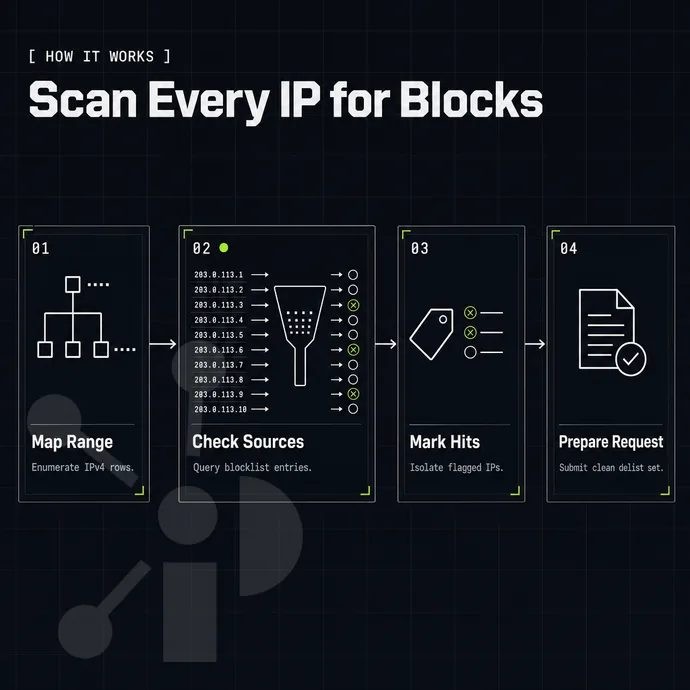
By identifying all IP addresses within a given range prior to submitting a delisting request for that range, one can avoid a great deal of time and surprise. Below, we identify a CIDR, run a lookup on it and review results from the lookup. Many operators prefer to use web-based lookup tools where they can simply enter the range and click a button to generate the full report.
Preparation: identify your IP range with an example
- First, write down your CIDR notation (e.g. 203.0.113.0/24). Then check your allocation or leasing agreement to verify the exact range of addresses that you own or lease. Note that a /24 is a block of up to 256 possible addresses, so be sure to test all of them, even if some are listed as being unused. Failure to test one unlisted address can result in your site not being delisted.
Execution: run the internet blocklist checks
- Use a multi-RBL checker. Free web-based tools (MXToolbox-style checkers, the Spamhaus lookup) let a subscriber query one address at a time or submit a range. Run every address in the block through the system. Log each result as you go.
- Check the Spamhaus ZEN list specifically, as it aggregates several sub-lists. If an IP address is black listed on this list, it will likely be denied by a large majority of mail servers around the world.
Verification: read and record the internet output
- Capture three fields per hit: the list name, the listing reason, and the evidence link (usually an HTTPS URL in the lookup result). These are required when you submit a delisting request.
- Organize your results in a neat spreadsheet with one row per listed address. Prefixx’s client portal automatically scans 12 of the world’s most popular DNSBLs (including Spamhaus ZEN, Barracuda, SpamCop, SORBS, CBL. Etc.) and presents the information in one easy-to-read portal rather than forcing you to manually look up a listed address on each list operator’s website from each of your offices.
What is the difference between a dnsbl and a firewall blocklist?
A DNSBL (DNS-based blocklist) is a public list of IP addresses of known email spammers or abusers. Understanding this definition helps clarify the scope and purpose when discussing any related blocklist topic.
A firewall blocklist is a local list of IP addresses or address ranges that a system administrator has configured to be denied connection to a network. Such lists are used to control the flow of outbound requests on a particular network or group of systems and are generally not of concern to a system’s overall Internet reputation. Administrators configure these rules to protect internal resources from known malicious sources or unwanted external connections.
Now that you have access to a clear picture of all the listed addresses and their corresponding reasons, you can start to work through the process of their removal. Once the audit confirms which addresses require attention, you can proceed with submitting removal requests to the relevant operators.
How to confirm and complete the cidr block delisting process
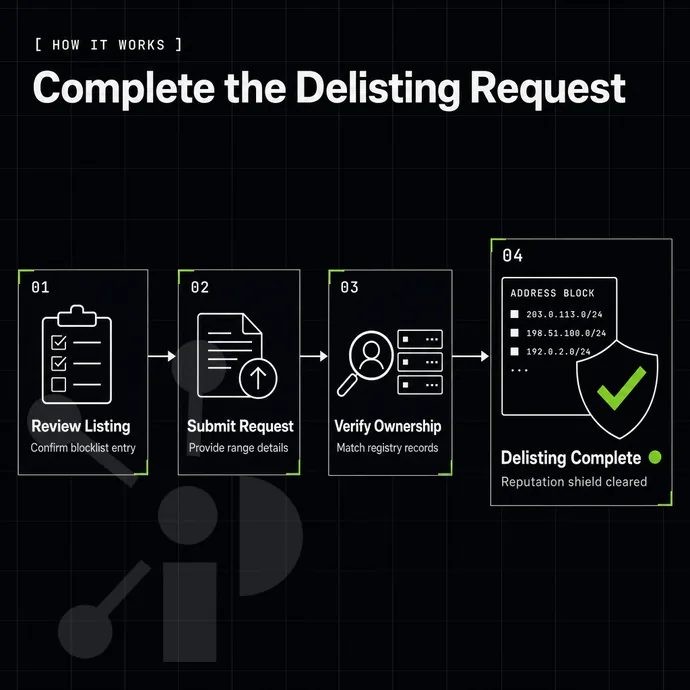
Delisting an IPv4 range from the blocklists typically follows a fixed sequence of steps. Skipped steps will typically result in the blocklist entry not being delisted or even being re-listed. Here is an example of how delisting an IPv4 range typically works in practice.
The first step: resolve the root cause
No serious blocklist operator will remove a server from a blocklist while the underlying problem exists. Tighten outgoing firewall configuration and verify by looking at the DHCP lease log that no new infected hosts have been added and are not relaying spam or connecting to other malicious sites. Review your DHCP server configuration to ensure lease times are appropriately short during the remediation period, making it easier to track which devices received which addresses.
Do I need to fix the root cause before submitting a delisting request?
Yes, unconditionally. All of these services are running automated re-detection of IP addresses that have been delisted from abuse lists within hours. The re-detection will flag repeat offenders for a longer or even permanent listing of the IP. First fix the issue and then list the IP.
Locating the correct removal form and verifying success
Each blocklist has its own lookup URL and removal URL for the operator’s website. To add an IP range to a blocklist, such as a CIDR notation, go to the operator’s website and go through the appropriate steps to add the IP range to the blocklist.
Some blocklists require an email address for abuse contact that is listed for the company in question to add IP ranges, while others are self-serve. Operators typically require you to sign in or authenticate before submitting removal requests through their web interface.
As a general rules of thumb, set a reminder on your calendar to re-run the DNSBL lookup daily for 7 days after removal from a DNSBL has been granted.
Prefixx continuously monitors all leased blocks on 12 different DNSBLs. We track when listings go active and, when they do, work with relevant parties to have them removed from listings as needed as part of our white-glove service.
Not all blocked connections are caused by a DNSBL. Check for other network-layer causes that could match or produce similar problems and identify the root cause before jumping to conclusions about a sender's reputation. For more context, see IPv6 block lists for IP blocking? : r/pfBlockerNG.
Firewall rules and network-level filters that can mimic a blocklist block
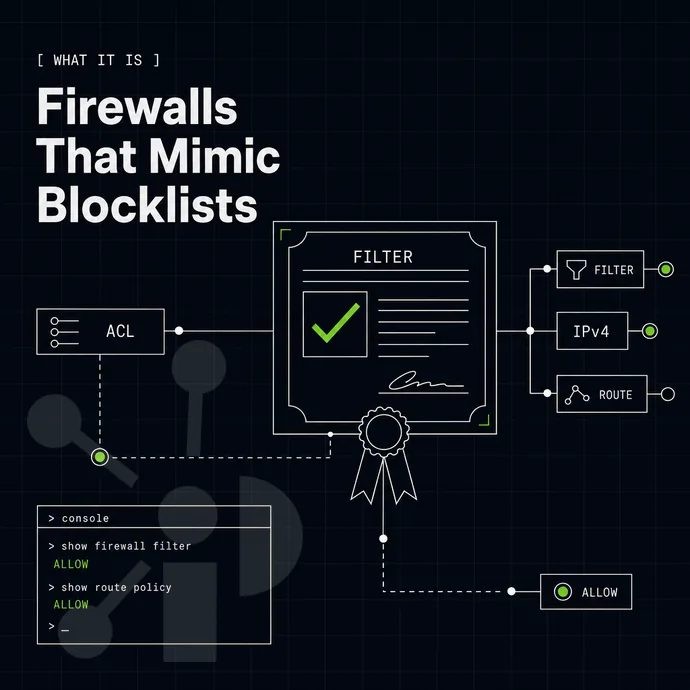
A denied connection is denied a connection regardless of whether a DNSBL denied a connection to a particular IP address or a router’s ACL denied a connection by silently dropping a packet. Investigate the network layer causes for a blocked connection first. The underlying cause of the block, whether a blacklist entry or a firewall rule, matters less than identifying and resolving the root issue preventing connectivity.
Checking firewall rules and acl entries
Go and grab a copy of the ACL configuration on your upstream router and any edge devices. Look up your IP address in IP range notation (e.g. 203.0.113.0/24) as opposed to the broader rule of 203.0.113.0/22 which may be blocking network flows and not appearing in your blacklist or reputation lists. Keep a reference copy of each configuration version as you work through the troubleshooting process to track which changes resolved the connectivity issue.
Check both incoming and outgoing packet flows. A rule that blocks outgoing mail on port 25 has the same effect as a Spamhaus listing. Firewall rules can sometimes mimic the effects of a blacklist by silently dropping packets from specific sources or destinations.
Network layer vs. Reputation layer test
Run a traceroute from an external location. You can then enter the destination IP address and observe the path packets take through intermediate routers to identify routing anomalies.
What happens to geolocation data after I delist and transfer a block?
Delisting a domain does not remove a reputation flag from a geolocation database. After a transfer, the new domain holder must update geolocation data for MaxMind, IP2Location, etc. separately.
Prefixx publishes a daily geofeed in line with RFC 8805 format and also submits corrections to the major geolocation providers as part of the white-glove service. Thus, the block will reflect the correct region already after the transfer has completed. This approach ensures that geolocation data remains in line with operational requirements throughout the transfer process.
Some provider networks maintain their own blocklists on top of the public DNSBLs. You’d need to get in touch with the provider’s abuse team or network team directly for removal from such lists. That is typically done separately from a public delisting request.
Just clearing the network layer is not enough. After a block has been delisted, the back office still needs to check the routing information and geolocation information before it can be put into production. The post-delisting audit verifies that routing tables and geolocation databases reflect the current ownership and intended use of the range.
Geolocation, RPKI and IRR hygiene after a successful delisting
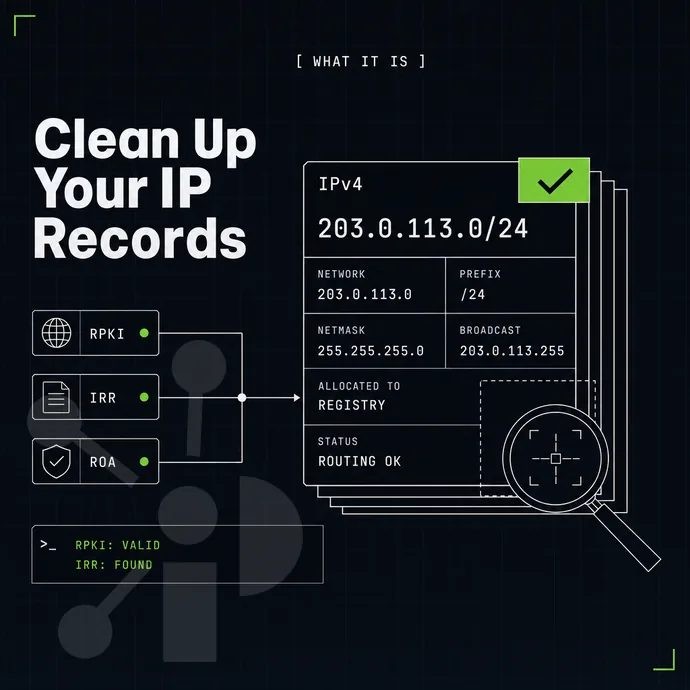
Removal from a reputation list will restore deliverability, but that does not necessarily solve the routing prefixes or geolocation problem. Three hygiene checks must be performed after removal from each list. Operators must verify that mail servers can reach intended recipients and that web services respond correctly to inbound connections from previously blocked sources.
RPKI, IRR alignment, and blacklist filtering
Check that your RPKI ROA actually contains the correct prefix and origin ASN. Mismatched ROAs cause upstream routers to apply incorrect filters and drop data packets before it’s ever actually dropped on the Internet. Also, be sure to check your IRR route objects for the current origin ASN, as a stale IRR entry can create a problem that's far too easy to miss and takes ages to diagnose.
Geolocation correction example
MaxMind, IP2Location, DB-IP and ipinfo.io are not updated in time for IP address transfers and reassignments. Geolocation information which is wrong can convert legitimate network requests into apparent fraud. In order to prevent such false positives at large scale, an RFC 8805 geofeed is used to accurate location information for IP addresses. We offer a daily geofeed for all prefixes at Prefixx.net/geofeed.csv. Organizations can also manually enter geolocation corrections through vendor-specific portals to expedite the update process.
The white-glove service mentioned above includes the creation of LOA, RPKI ROAs and IRR route objects for each leased prefix. All of these are required to make a prefix fully routable and correctly registered from day one onwards.
Is it possible to buy or lease a clean IPv4 block instead of delisting a burned one?
Yes, and this is often the faster way to go for many operators. It can take weeks or even be undefined to delist a "burned" IP address from various DNSBLs. A fully-vetted and properly-sized block of IP space (such as that available from Prefixx) has already gone through Tixx Quality Control for issues like valid ownership, current status on various blacklists.
Additionally, Proper routing and related issues. We can provision a lease on such space within 24 hours, and a purchase will transfer the relevant space to you post-escrow procedures, in line with standard protocols and accompanied by relevant RIR paperwork, etc.
Only when the hygiene work identifies a block that cannot be efficiently brought back into access and use any more does replacement become the more sensible option. Replacement represents a practical solution when remediation efforts would exceed the time and cost of acquiring clean address space.
When delisting is not enough: replacing a burned IP range
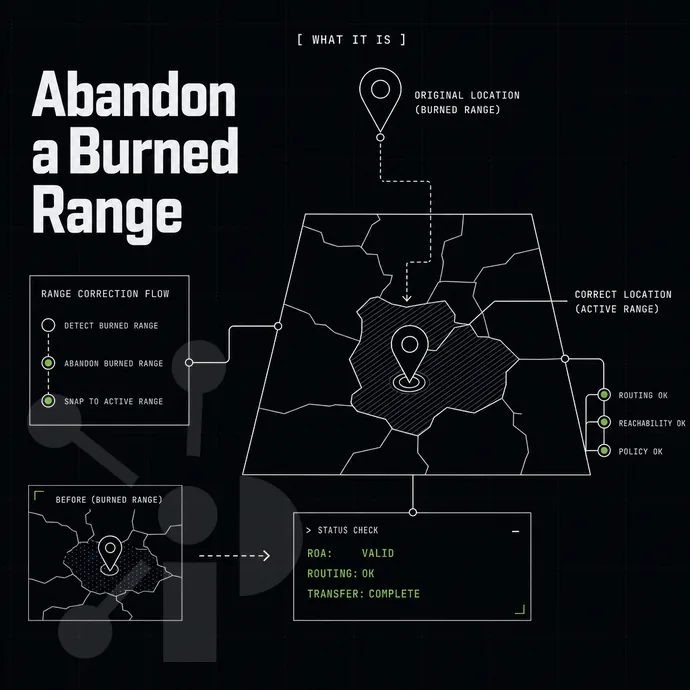
Instead of delisting a block with repeated listings, a corrupted history or even abuse from a specific CIDR, it will often end up being relisted within days. In these cases, it is more practical to remove and add a new block instead.
Assess whether your remediation setup is viable
- Run a full reputation audit. Check the block against major blocklists (including Spamhaus ZEN) to get a listing count and a history of repeat listing to determine if remediation alone is not going to be enough to get delisted.
- Estimate re-listing risk. A block with a pattern of previous abuse complaints is rarely delisted for good after a single cycle of delisting. Figure the likelihood of re-listing against your operational timeframe before starting any remediation.
What does RPKI ROA status have to do with blocklist removal?
The status of RPKI ROAs and the removal of a block from a blocklist are two separate things and can be tracked separately. An invalid or missing ROA for a block is usually considered by filtering policies as unverified origin of traffic for that block and thus it may get dropped even if the block is not listed anymore (i.e. it will not get readded back after ROA is fixed).
Choose a blacklist replacement path
- Lease a clean block of IP addresses instead. Leasing a block of IP addresses with a clean history allows you to bring online a block of IP addresses quickly while your original block of IP addresses is being cleaned up or taken out of service. Prefixx provides white-glove service for all of our leasees, LOA, RPKI ROA, IRR route objects for all supported IXP’s and your IP address’s global reputation monitoring.
- Buy a replacement block which you can purchase from a vetted supplier. Buying a block transfers ownership of the block to you and therefore you are no longer dependent on the original range owner. All blocks moved through Prefixx are quality checked by Tixx prior to sale including a check on ownership, blacklists, routing and RIR status.
- Deploy via BYOIP. We can help move a clean block to a cloud platform or to a Netrouting bare metal server. We can also prepare LOA, ROA and IRR objects for you to file instead of doing it all manually.
Whether you choose a Clean Block, Fully Routed Block or a combination of the two, the end result is always a clean fully routable block of IP space with no inherited poor reputation.
Contact us to discuss your IPv4 needs today
No hidden fees, free consult. A broker replies within one business day.